FLEDIT is everything
an editor needs
All in one place. Start editing faster and better.
Just how much FLEDIT can do
All the features and one ecosystem
Transitions, effects and animations
A library of the most useful effects, transitions and animations, always at hand. Drag them straight onto your timeline.
Your whole library,
live in the panel
{{ ulpDesc }}
Animate text inside
Premiere Pro
Over 30 pre-made animations you can drop straight onto your captions. You can also hit the Random button and FLEDIT will build smooth animations for you.
Create beautiful captions
in a moment!
{{ capDesc }}
Automatically remove silence from your videos
and censor words
Zoom without
keyframing
{{ zmDesc }}
Every effect always at hand
Animate more easily
in Premiere
{{ edDesc }}
Paste any image straight onto your timeline
Take a screenshot or copy an image from your browser, then paste it straight onto your timeline in Premiere Pro with Ctrl+V, or Ctrl+Cmd+V on macOS.
Every minute tracked automatically
FLEDIT detects which Adobe app is active, and logs time per project. Organize work by clients and categories, check and export your stats. Time is money, so the timer counts your earnings too.
Find the clip you
already used
One scan of the sequence lists every video, music and SFX file that shows up more than once, plus anything offline.
Notes pinned
to your timeline
Write simple notes, or paste a whole batch of client feedback - FLEDIT automatically detects timestamps in multiple languages and creates markers, so you can get straight to making the fixes. See supported languages →
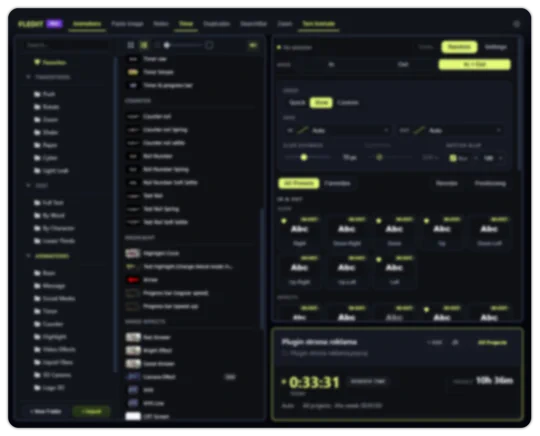
Click through the panel yourself

What editors say
Over 250 people use FLEDIT
Choose your plan
VAT not included
VAT not included
FLEDIT is in beta. What that means
| Feature | FREE | STD | PRO |
|---|---|---|---|
| Animations | |||
| Built-in free animation & transition pack | ✓ | ✓ | ✓ |
| Import your own MOGRTs & your own assets | ✓ | ✓ | ✓ |
| User Library size (media + MOGRTs) | 300 files | Unlimited | Unlimited |
| Import sequences from .prproj projects | ✓ | ||
| Media “ON TIMELINE” status | ✓ | ||
| Text Animate | ✓ | ||
| Transcribe | ✓ | ||
| Cut Silence | ✓ | ||
| Auto Censor | ✓ | ||
| Zoom | ✓ | ||
| SearchBar | |||
| In the searchbar popup | |||
| SearchBar Popup | ✓ | ✓ | ✓ |
| Apply video & audio effects | ✓ | ✓ | ✓ |
| Apply video & audio transitions | ✓ | ✓ | ✓ |
| Apply custom scripts | ✓ | ✓ | |
| Apply presets (.prfpset) | ✓ | ✓ | |
| Apply FLEDIT animations, MOGRTs & media | ✓ | ||
| Favorites | ✓ | ✓ | |
| Bind any function to a key | |||
| Bind to a key | ✓ | ✓ | |
| Apply video & audio effects | ✓ | ✓ | |
| Apply video & audio transitions | ✓ | ✓ | |
| Apply custom scripts | ✓ | ✓ | |
| Apply presets (.prfpset) | ✓ | ✓ | |
| Apply FLEDIT animations, MOGRTs & media | ✓ | ||
| Favorites | ✓ | ✓ | |
| Import/Export keyboard shortcuts | ✓ | ✓ | |
| User Macro | ✓ | ||
| Ease Keyframes | ✓ | ||
| Anchor Control | ✓ | ||
| Motion to Transform | ✓ | ||
| Paste Image | ✓ | ✓ | |
| Timer | |||
| Work time tracking (auto / manual / semi-manual) | ✓ | ✓ | |
| Auto-detects the active Adobe app + idle detection | ✓ | ✓ | |
| Organize by clients, categories & tags | ✓ | ||
| Statistics, charts & reports | ✓ | ||
| Earnings tracking | ✓ | ||
| Hide earnings (streamer mode) | ✓ | ||
| Duplicates | ✓ | ||
| Notes | ✓ | ||
| General | |||
| Windows & macOS | ✓ | ✓ | ✓ |
| Updates | ✓ | ✓ | ✓ |
| Commercial use | ✓ | ✓ | ✓ |
| Machine activations | - | 1 | 2 |